Frequently Asked Questions
Common questions about AgentGIF, the developer GIF hosting platform.
What is AgentGIF?
AgentGIF is a developer GIF hosting platform with dual-layer architecture. Every terminal demo GIF is paired with a machine-readable asciinema v2 cast file, so both humans and AI agents can understand the content.
A human sees an animated terminal recording. An AI agent sees structured data: commands, output, timestamps, and metadata.
Is AgentGIF free?
Yes. Uploading, hosting, and embedding GIFs is completely free. The REST API is free for read operations with no authentication required. Write operations (upload, edit, delete) require a free API key from your settings page.
What is a cast file?
A cast file is an asciinema v2 recording. It's a text format where line 1 is a JSON header with terminal metadata, followed by timestamped event tuples:
{"version": 2, "width": 120, "height": 40}
[0.5, "o", "$ docker compose up -d\r\n"]
[1.2, "o", "Creating network...\r\n"]
[2.8, "o", "Container app-1  Started\r\n"]
Each tuple is [timestamp_seconds, event_type, data]. This enables AI agents to extract commands, output, and timing without OCR.
How do I upload a GIF?
Two options:
- Web: Drag and drop at /upload/ (requires GitHub login)
- CLI:
agentgif upload demo.gif --title "My Demo" --tags cli,unix
The CLI is available for 5 languages: Python, Node.js, Go, Rust, and Ruby. Include a --cast demo.cast flag to attach the machine-readable layer.
How do I embed a GIF in my README?
The recommended pattern for GitHub READMEs:
<p align="center">
  <a href="https://agentgif.com/ID">
    <img src="https://media.agentgif.com/ID.gif" alt="demo" width="800">
  </a>
</p>
Replace ID with your GIF's 8-character ID. See the full embed guide for all 6 methods.
What is the .md endpoint?
Append .md to any AgentGIF URL to get a text/markdown response optimized for LLMs. Every page supports this — GIF details, tag listings, tool pages, collections, guides, and search results.
curl https://agentgif.com/tools/git/.md
curl https://agentgif.com/explore/tags/docker/.md
Do I need an API key?
| Operation | Auth Required |
|---|---|
| Search, list, detail, cast, transcript | No — completely open |
| Upload, edit, delete GIFs | Yes — X-API-Key header |
| Create/manage collections | Yes — X-API-Key header |
Get a free API key at /settings/ after signing in with GitHub.
What terminal themes are available?
AgentGIF supports all 44 VHS terminal themes. Popular choices:
| Theme | Style |
|---|---|
| Catppuccin Mocha | Warm dark with pastel accents (default) |
| Dracula | Dark purple classic |
| Tokyo Night | Blue-focused modern dark |
| Nord | Arctic blue palette |
| Solarized Dark/Light | Precision colors |
| GitHub Dark/Light | GitHub's native themes |
Browse all themes with live previews: Theme Gallery.
What is the badge service?
AgentGIF provides terminal-themed package badges as a shields.io alternative. They render with your chosen terminal theme colors.

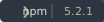
Supported providers: PyPI, npm, crates.io, GitHub. Customize with ?theme= and ?style= params. See the badge playground.
How do AI agents read GIFs?
AI agents can access GIF content through multiple channels:
- Cast files:
GET /api/v1/gifs/{id}/cast/— full asciinema v2 recording with timestamps - Transcripts:
GET /api/v1/gifs/{id}/transcript/— clean plain text, ANSI codes stripped - .md endpoints: Append
.mdto any page URL for Markdown output - JSON API:
/api/v1/search/?q=docker— full-text search with structured results - llms.txt:
/llms.txt— site-level summary for AI crawlers
See the full AI agent integration docs.
What file formats are supported?
| Format | Max Size | Purpose |
|---|---|---|
| GIF | 10 MB | Primary visual format — plays everywhere |
| Cast (.cast) | 5 MB | Machine-readable layer (optional on upload) |
| MP4 | Auto-generated | Efficient playback alternative |
For best results, keep GIFs under 5 MB. See the recording guide for optimization tips.
How do I record a terminal GIF?
We recommend VHS by Charm for scripted, reproducible recordings:
# Install VHS
brew install vhs

# Create a tape file (demo.tape)
Output demo.gif
Set Theme "Catppuccin Mocha"
Type "echo 'Hello, world!'"
Enter
Sleep 2s

# Record
vhs demo.tape
Full step-by-step instructions: How to Record a Terminal GIF.